
Practically tested recipe · Oxygen 6.2 RC1 · 13 October 2026. See the test scope and version notes below.
What it does and when to use it
Create text, headings and lists using one flexible native element. This example focuses on one achievable outcome rather than listing every possible setting.
Before you start
Use a private test page with Oxygen 6 and a screenshot you have permission to publish. No Breakdance extension, WooCommerce or custom CSS is required for this example. The three linked Container, Text and Image recipes build the same practice project introduction. The values below are example settings.
Worked example: A heading system with correct document structure
This is a recreated learning example using the service website kit. It is not presented as a completed client project.
- Inside the project introduction Container, add a native Text element. Enter “A service website that makes the next step clear” and set its HTML tag to
h1. The page should have one main page heading. - Add a second Text element for “A practical example using four connected Oxygen pages, a clear service description and a real project screenshot.” Select
pas its tag. - In the content column, use
h2for “The project” andh3for the subsection “What the screenshot shows”. Put the supporting copy in separate paragraph elements. These levels describe the relationship between the content sections. - Give the H1 the class
project-title. Select that class in the builder, open Typography and set Color #111415, Font Size 40px and Line Height 1.15. These example values were tested on a light background; choose colors with sufficient contrast for your own design. - Switch to Phone Landscape (767px and below here) and set the same class’s Font Size to 32px. Keep the
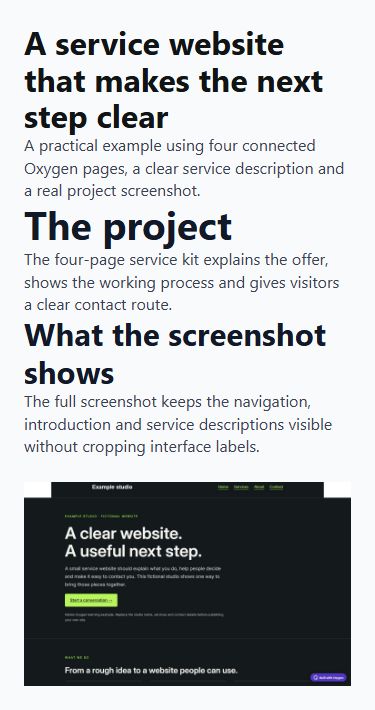
h1tag and line height. Change the responsive style, not the heading level. - Save and inspect the frontend at 320, 375, 768 and 1440px. The tested title wraps without horizontal overflow and uses 32px on the two phone widths and 40px on the larger widths. Inspect the document structure to confirm one H1 followed by the H2 and its H3 subsection.
- Reopen the builder, select the
project-titleclass and check Typography again. If the Content tab is still open, select the class chip to return to its design controls. The saved desktop values should still be 40px and 1.15.
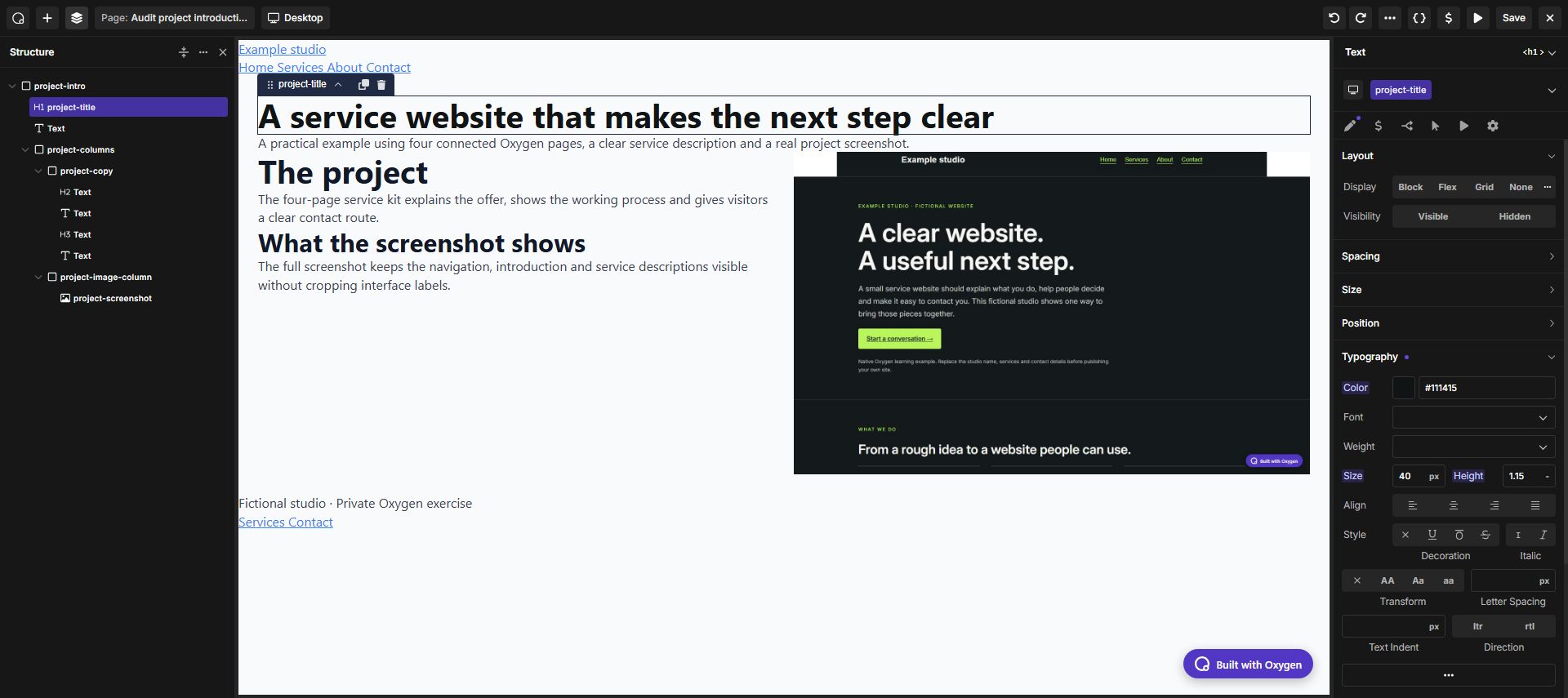
Use the Oxygen interface
Select the element or its parent Container, choose the intended shared class, and configure layout, spacing and typography in the builder. Switch to a narrower breakpoint to make responsive overrides. You do not need to paste CSS for this example.
Expected result
A project introduction with a semantic heading, readable copy and an uncropped screenshot. The two columns become a vertical stack on phones.
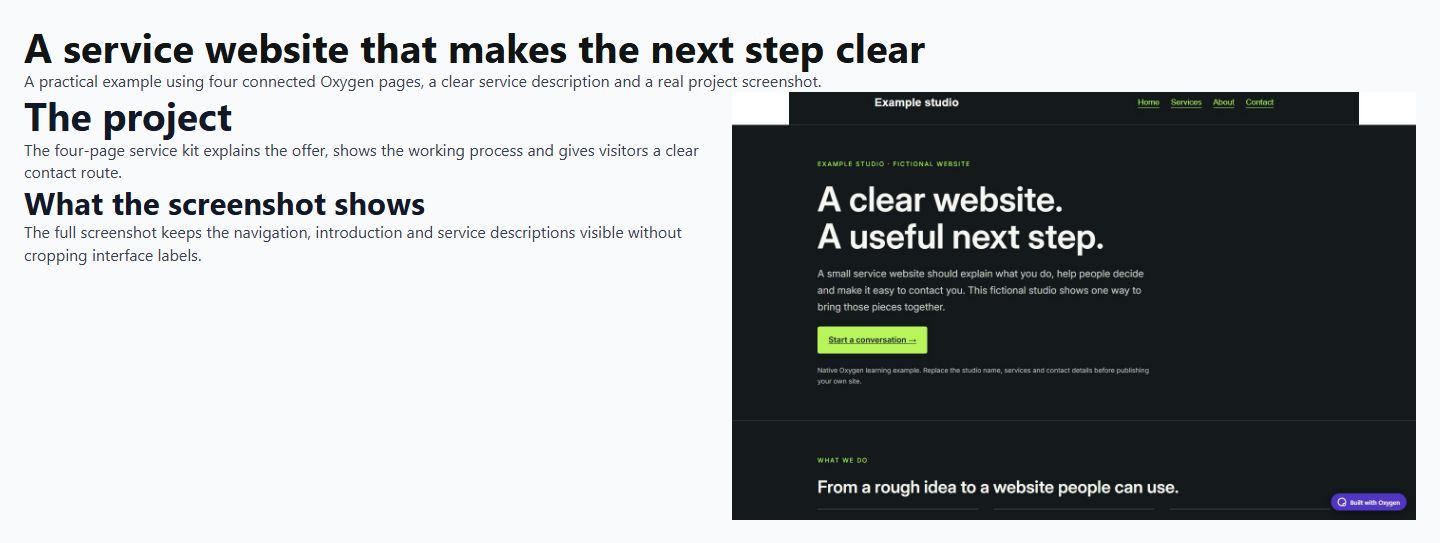
View the actual 375px mobile result. At phone widths the image appears below the text. The 1440 × 900 source image keeps its natural proportions.
Troubleshooting
If a heading looks too large, change its class styling rather than changing H2 to a paragraph. Inspect the rendered tags when the document outline seems wrong.
Checks before publishing
Choose heading levels for document structure, then control their visual size independently. Do not make every large line an h1.
- Compare desktop and narrow-screen layouts using actual content.
- Follow every destination and operate interactive controls with a keyboard where applicable.
- Check an empty or unavailable-data state when the element depends on a provider.
Official reference and version notes
Official Text Element reference provides the current provider information. This is independent, AI-assisted documentation on Benjamin Olsen’s website; examples are clearly identified as practice recipes.
Reproduced through the Oxygen interface on 13 October 2026 using Oxygen 6.2 RC1, WordPress 7.1.2 and PHP 8.5.11 in a private SQLite test installation. The saved frontend was checked at 320, 375, 768 and 1440px: no page-level horizontal overflow, correct heading tags, responsive columns and image alt text. Settings were saved and checked after reopening the builder. This verifies the recipe below, not every element option, every browser or a complete accessibility audit. The live website was not upgraded.