
WordPress Launch Setup & Checklist
Create WordPress starter pages and navigation, preview settings changes and track a shared launch checklist.
Is this the right plugin for you?
For WordPress administrators starting a service website and wanting a reviewable page structure and shared launch checklist.
What it helps you do
Create starter pages and menu links, preview selected WordPress settings and track manual launch work.
See the actual interface
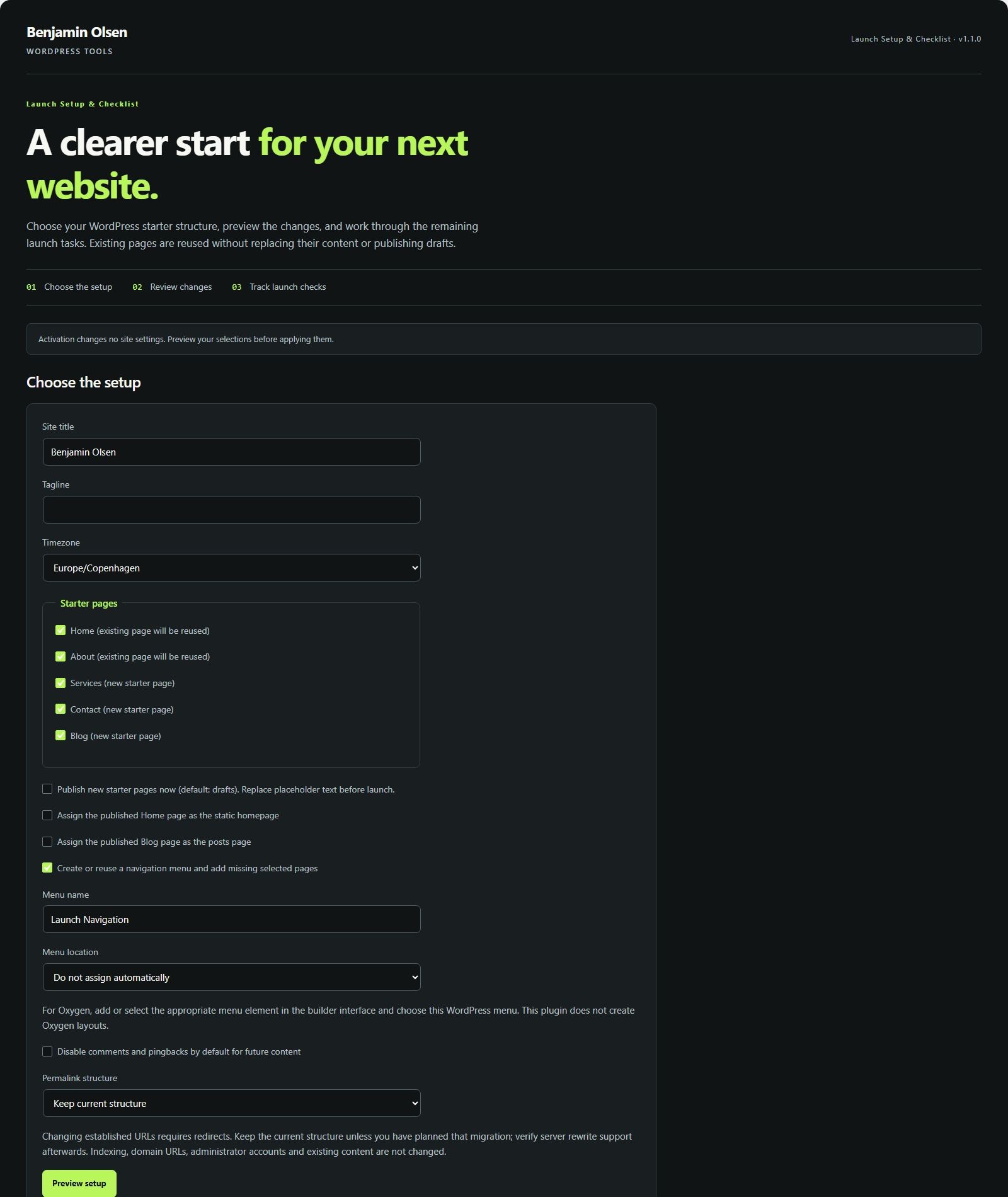
Install and try your first task
- Download, upload and activate the ZIP on staging. Activation alone does not change the site.
- Open Benjamin Olsen → Launch Setup. Select Home, Services, About and Contact and your intended menu.
- Choose Preview setup. Inspect the pages, menu links and settings before applying.
- Apply the reviewed setup. New pages remain drafts by default; add and review their content.
- Publish the completed pages. Preview again before assigning the homepage or public menu. Test contact delivery and mobile navigation, then record evidence in the checklist.
Check your result
A reusable starter structure exists without duplicate matching pages or duplicate links in the same menu. The manual checklist records work and outstanding tasks; it does not certify a launch.
Requirements and tested scope
Requires WordPress 6.0+ and PHP 8.0+. Setup actions require administrator capabilities and verified requests. The existing real screenshots show setup preview and the shared checklist. No Oxygen layout or paid service is required.
Limits to know before you start
Does not write finished copy, create forms or legal documents, configure analytics/SEO plugins or change indexing, domains or accounts. Public homepage/menu assignments require published pages. A preview expires after 30 minutes or relevant source changes.
Privacy and stored data
Project notes and checklist progress are stored in your WordPress installation and shared with administrators. They are not submitted to an external planning service. Update checks contact benjaminolsen.dev.
Download and updates
Current version: 1.3.0
Download WordPress Launch Setup & Checklist →
Use the existing download flow. Future verified releases appear in WordPress through the included updater.
Requirements and release notes
Version 1.3.0 · WordPress 6.0+ · PHP 8.0+
Updates appear in WordPress → Plugins for installations with the shared updater. Earlier versions may need one manual ZIP replacement.
Changelog
1.3.0
Version 1.3.0 adds standard WordPress update notifications, a View details changelog, verified update packages, and a Check for plugin updates link. Existing workflows and saved settings are preserved.
Report a plugin problem. Include the plugin and WordPress versions, steps to reproduce and any error text. Do not share login details.