WordPress plugin · Free · Updates through WordPress
WordPress Internal Link Checker
A free WordPress plugin for checking stored internal links, finding redirect chains and opening the posts or Oxygen layouts that contain them. Activate any of my plugins to get the Benjamin Olsen sidebar menu. Every active plugin in the collection appears there automatically, with no separate core plugin required.
See the plugin in action
Screenshots of the plugin workflow in WordPress. Version 1.2.0 also includes the shared Benjamin Olsen plugin hub. Select a screenshot to open the full-size image.
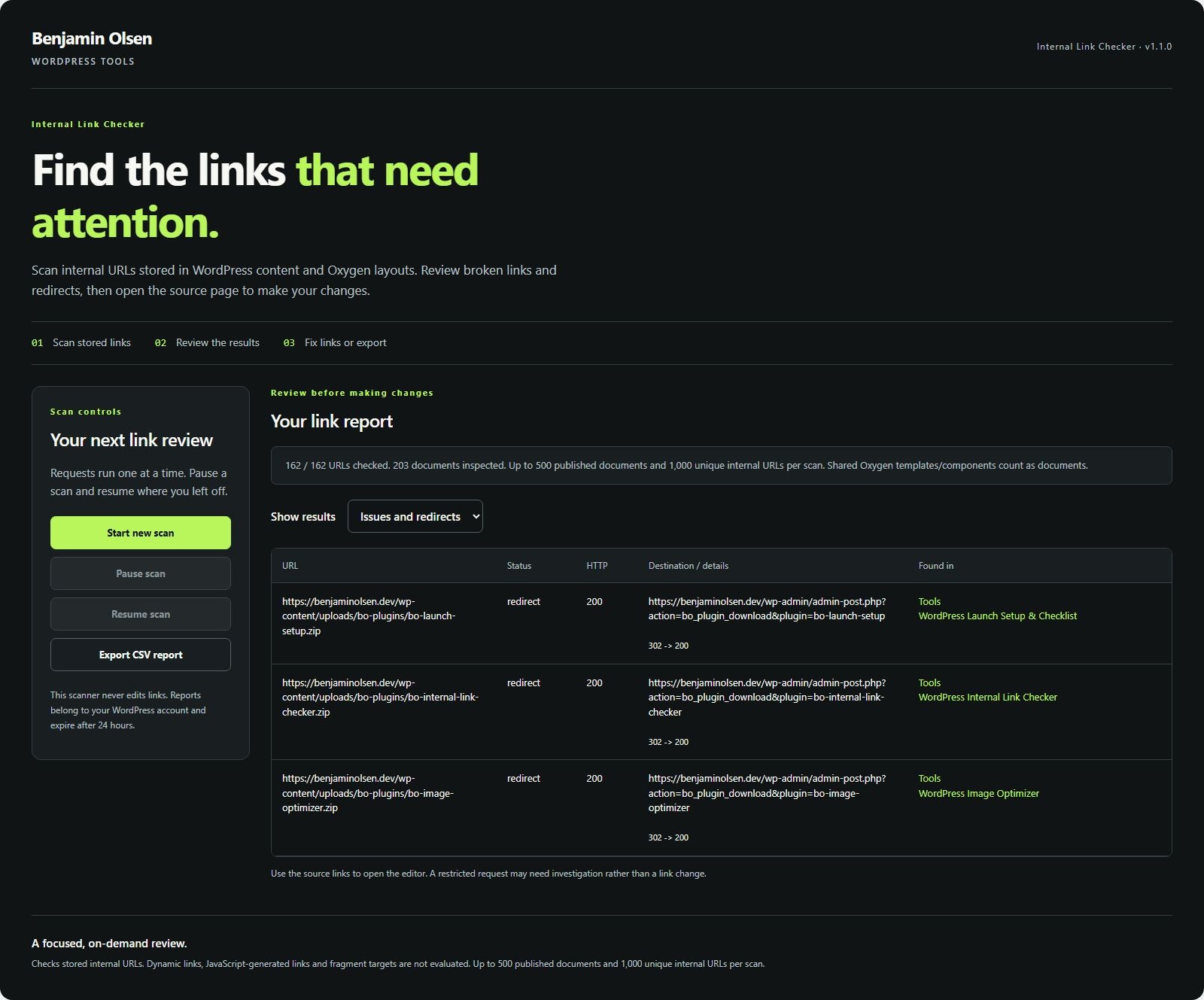
Review redirects and find their source pages
One home for your plugins
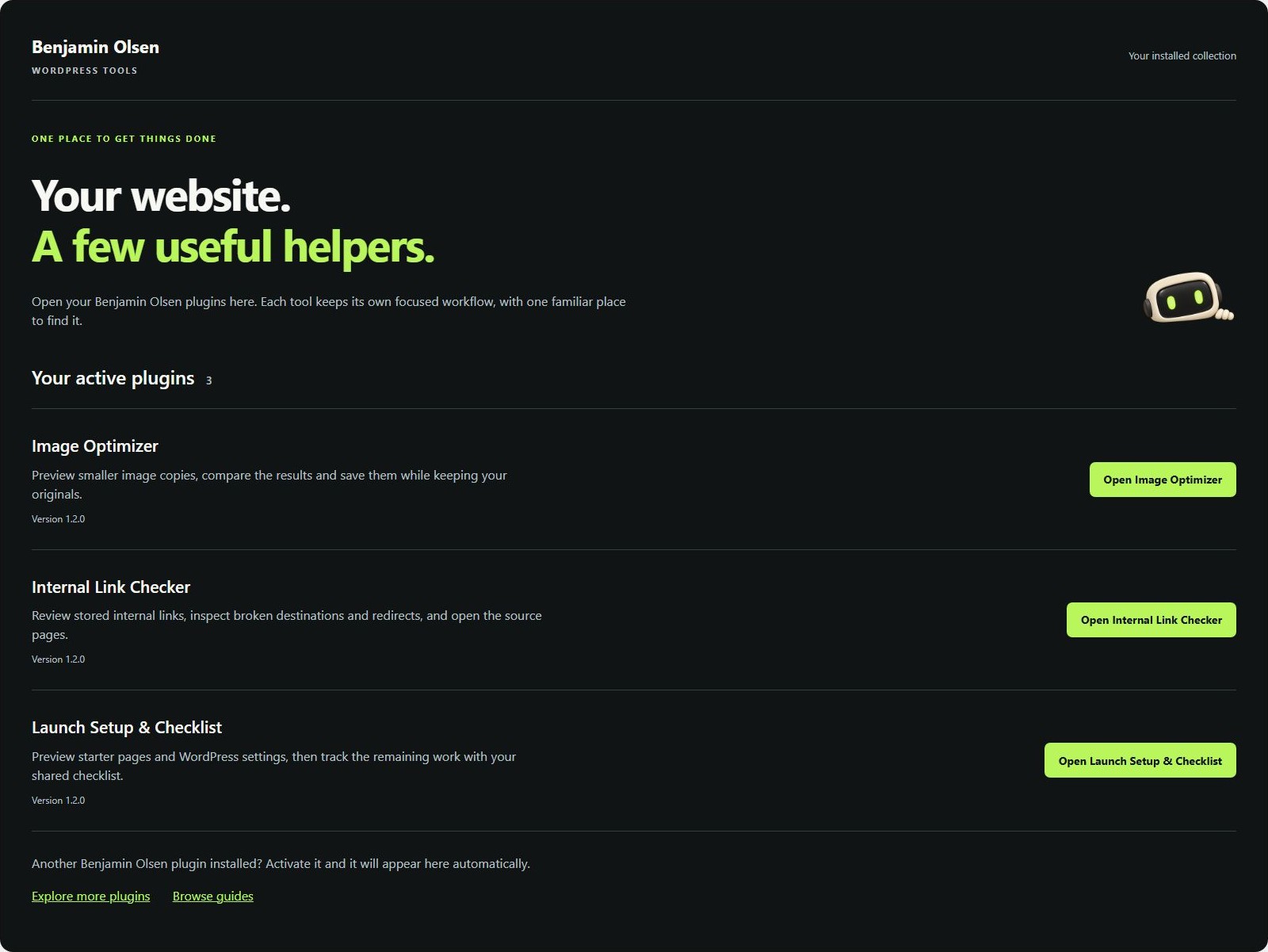
Version 1.2.0 adds the Benjamin Olsen sidebar menu. Install and activate any plugin in the collection; your active plugins appear together automatically.
Find the source, then fix the link
The plugin reads links stored in published WordPress posts and pages, plus shared Oxygen layouts. It checks unique same-site URLs one at a time and reports broken destinations, redirects, restricted responses and request errors.
Each result includes the source documents, so you can open the right editor. The plugin never edits links automatically.
Install and run your first scan
- Download the ZIP. In WordPress, go to Plugins → Add New → Upload Plugin, select the file and activate it. From version 1.3.0, future releases appear under Plugins with an Update now link. Already using version 1.2.0 or earlier? Upload the latest ZIP once and choose Replace current with uploaded. Keep at least one Benjamin Olsen plugin active for update checks.
- Open Benjamin Olsen → Internal Link Checker with an administrator account.
- Select Start new scan. Pause and resume when needed; reports are kept for your account for 24 hours.
- Filter issues or redirects. Open a source document, correct its link in WordPress or the Oxygen interface, then run a fresh scan.
- Export CSV to share the findings with the person maintaining the site.
Example: a renamed service page
You move a service page to a new URL, but an Oxygen button still points to the old one. The checker reports a 404 or a redirect and lists the layout containing the button. Open that layout in Oxygen, select the button and update its destination through the link control.
Scope and requirements
Requires WordPress 6.0+ and PHP 8.0+. It checks up to 500 published documents and 1,000 unique internal URLs. Up to 20 source documents are listed per URL.
It checks stored links, not a rendered crawl of every page. External links, fragment targets, dynamic shortcodes and JavaScript-generated links are excluded. A 403 or timeout needs investigation and is not automatically proof of a broken destination.
Redirects are followed only within the same site, with a five-request limit. Requests use a five-second timeout. There is no subscription or third-party scanning service.
Plan new contextual links with the browser tool