BENJAMIN OLSEN · PRACTICAL OXYGEN RESOURCES
Help customers choose.
Before they reach checkout.
Three native Oxygen information sections for a WooCommerce website. Make delivery, returns, size and support details easier to understand without inventing promises.
Design Set URL: https://benjaminolsen.dev/?bo_design_set=woocommerceWhat’s inside
01 · Buying information
A three-column explanation of delivery, returns and product help. Place it near your product summary and link to your complete policies.
02 · Size guide
A table with a caption and row and column headers. The dimensions are explicitly samples. Replace them with verified product measurements and explain how they were taken.
03 · Purchase FAQ
Keyboard-accessible expandable answers about delivery costs, suitability and order support. Replace the sample wording before publishing.
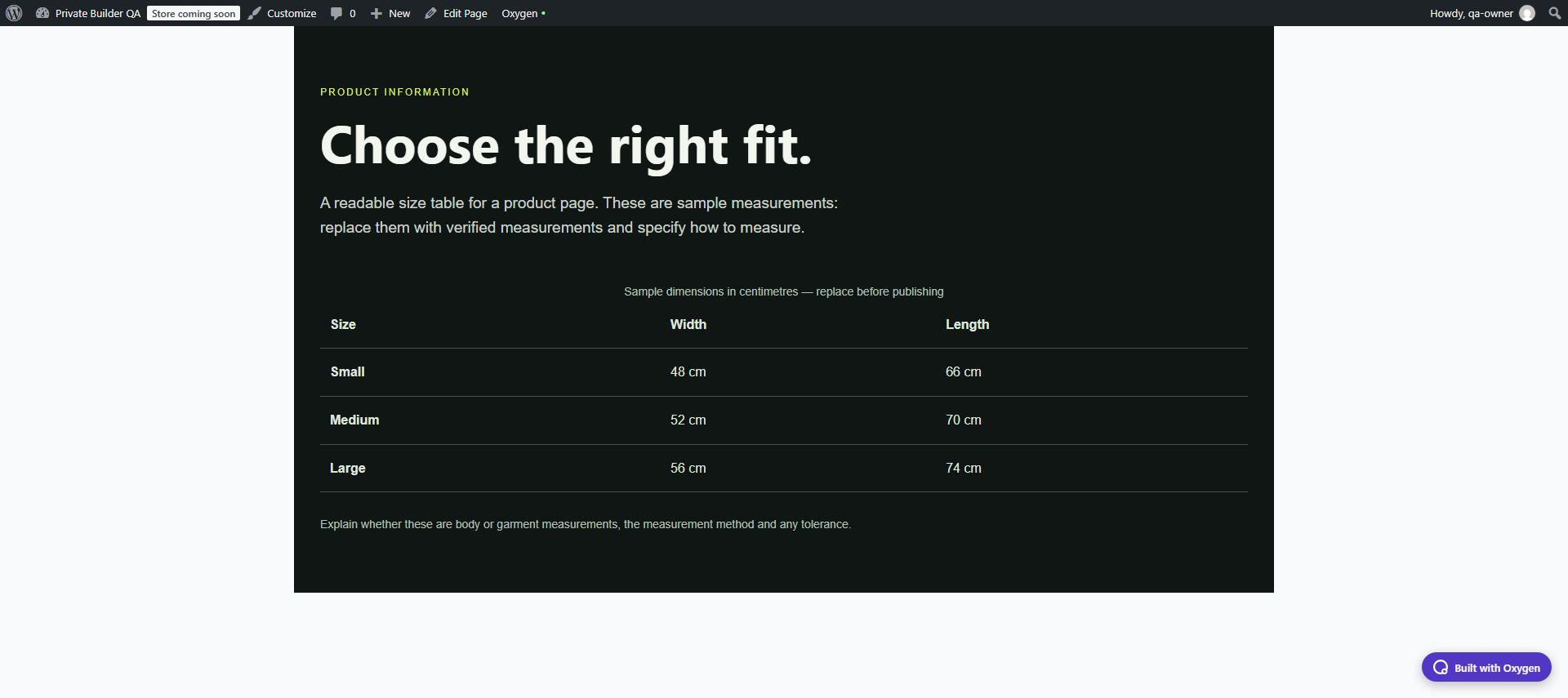
Actual screenshot from the private Oxygen test site. Sample content must be replaced before publishing.
Import a section. Make it yours.
- Open WordPress → Oxygen → Settings → Design Library.
- Add this Design Set URL to Custom Design Sets: https://benjaminolsen.dev/?bo_design_set=woocommerce
- Save Changes. Open the page you want to edit in Oxygen.
- Open the Add panel and choose the book icon to open the Design Library. Select this Benjamin Olsen library from Design Set.
- Select a design in the library. If Oxygen asks for its styles, choose Import Settings → Selectors; Variables are not needed. Oxygen warns that importing selectors can replace existing class styles, so try the library on a test copy first. Then use Add to page on the section to insert it.
- Edit the text, links and styling in Oxygen. Replace every example and check mobile layouts and keyboard controls before publishing.
Requirements and scope
Requires the new Oxygen builder with its built-in Design Library. Oxygen Classic is not supported. The library uses native Oxygen elements and responsive style classes. No additional library plugin is required. Import the library’s Selectors when prompted to preserve its appearance; importing class styles is controlled by Oxygen’s confirmation dialog.
This is a native Oxygen Design Set containing three starter sections. It does not offer a full-site import. The library does not require importing this website’s global settings or design presets. Existing pages remain under your control; save your page after editing.
The store sections explain products and policies. Prices, cart, checkout, payment and order logic remain part of your WooCommerce setup.
Report a problem Both design libraries